Workspace members
For a monorepo, the Members tab lists every other pyproject.toml found
below the project, such as the packages of a
uv workspace.
Each member you select is installed into the environment in editable mode.
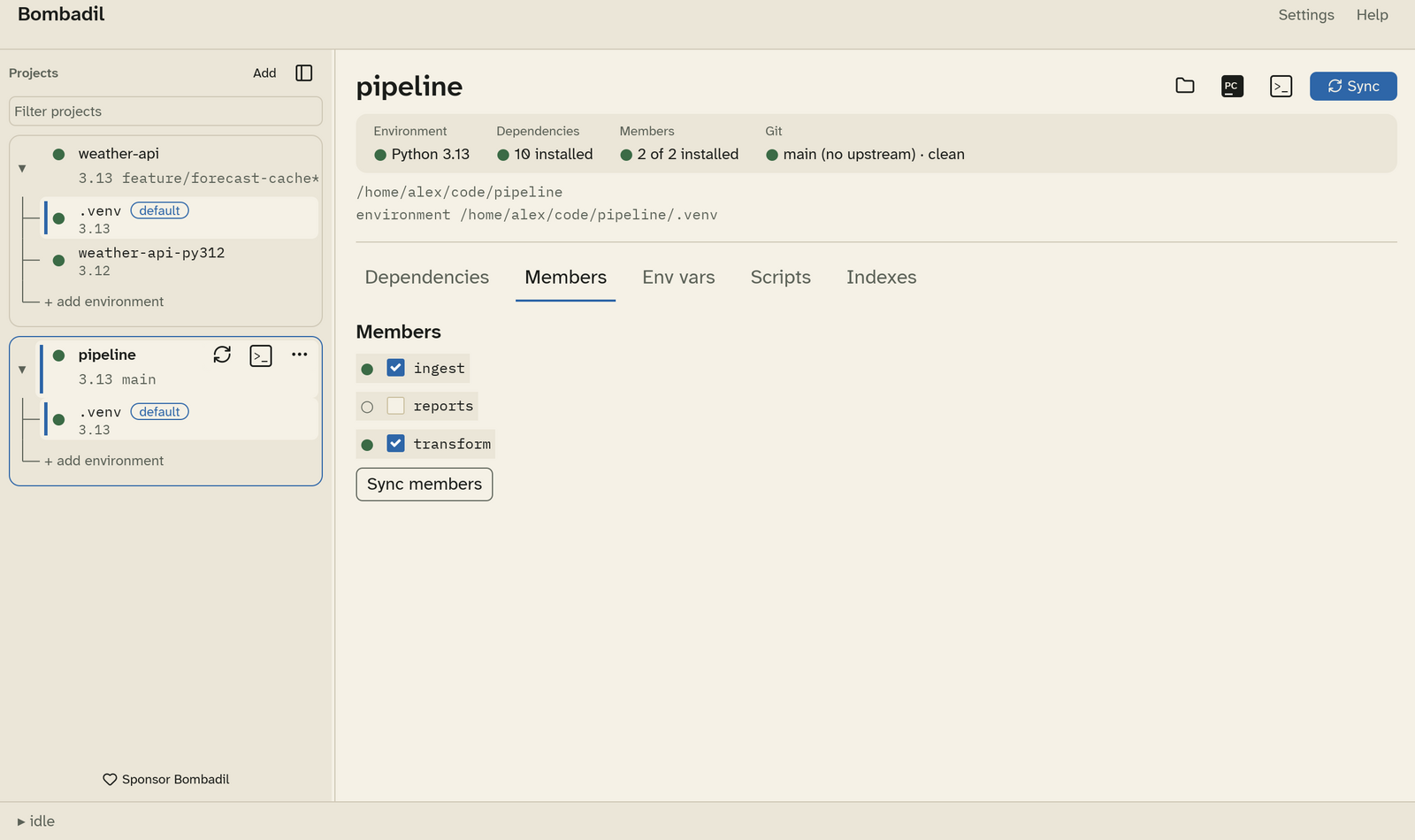
- Tick a member to install it, and untick it to stop installing it.
Bombadil saves your selection in its own config. It never edits the
workspace's
memberslist inpyproject.toml, which belongs to your team. - By default every discovered member is selected, so a package added to the repository later is installed without you doing anything. Only the members you untick are remembered.
- Sync members installs exactly the selected members (with
uv sync --package …) and removes the rest from the environment. If that would remove something, Bombadil lists it and asks first. - A folder whose
pyproject.tomlhas no[project].nameis listed but can't be installed.
The Members tile in the header counts how many of the selected members are installed, for example "2 of 2 installed".