Dependencies and sync
The Dependencies tab compares what pyproject.toml declares with what is
installed in the project's default environment. Package names are
matched after normalisation, so calc_service and calc-service are the same
package.
Tree view
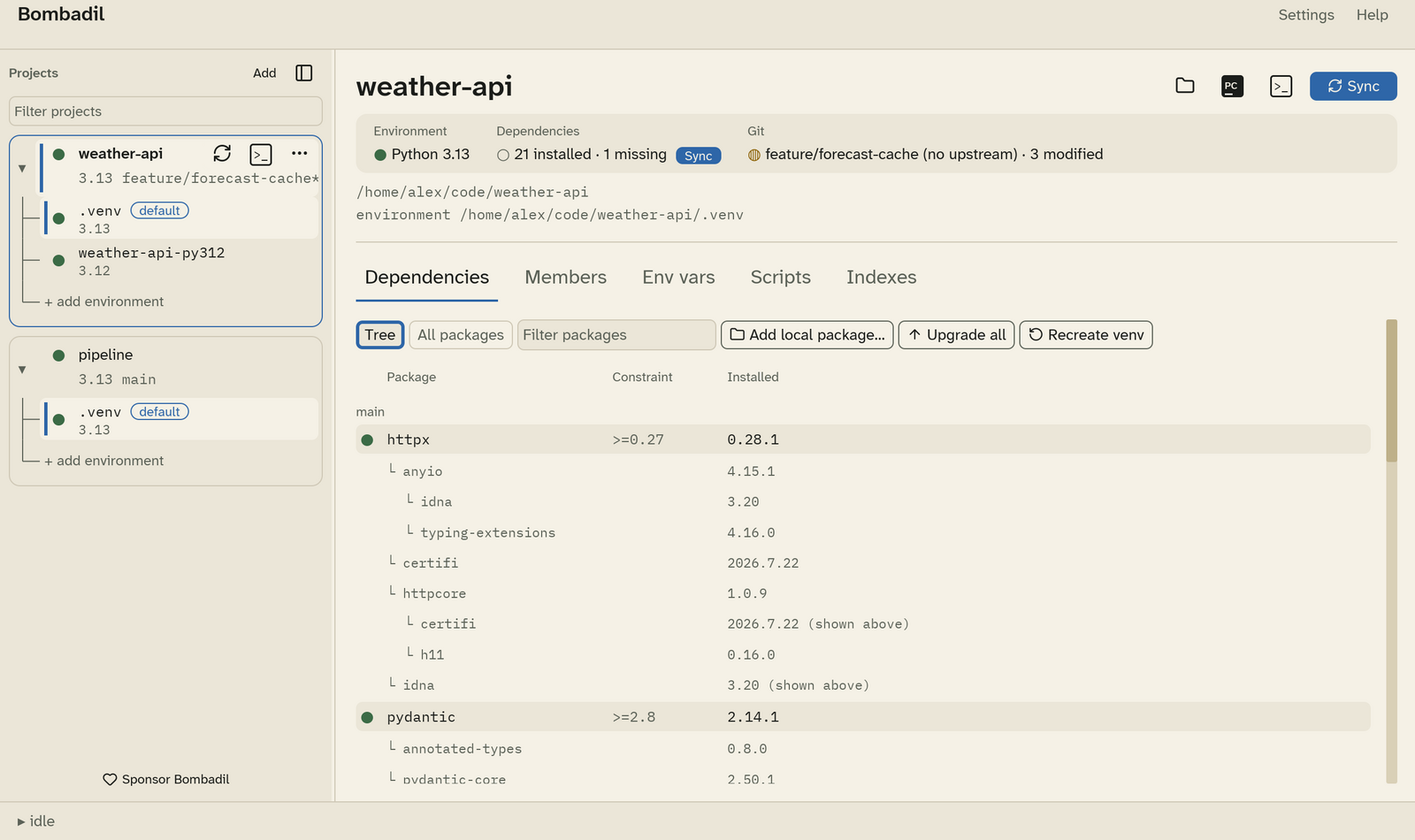
Tree lists each declared dependency under its group: main, then every
dependency group (dev, …) and every optional extra. Under each dependency is
the resolved tree of what it pulls in.
| Column | Meaning |
|---|---|
| Package | The package, with its status mark. |
| Constraint | The version range declared in pyproject.toml. |
| Installed | The version installed in the environment. A package that already appears elsewhere in the tree is marked (shown above). |
A package declared in two groups appears under both.
All packages
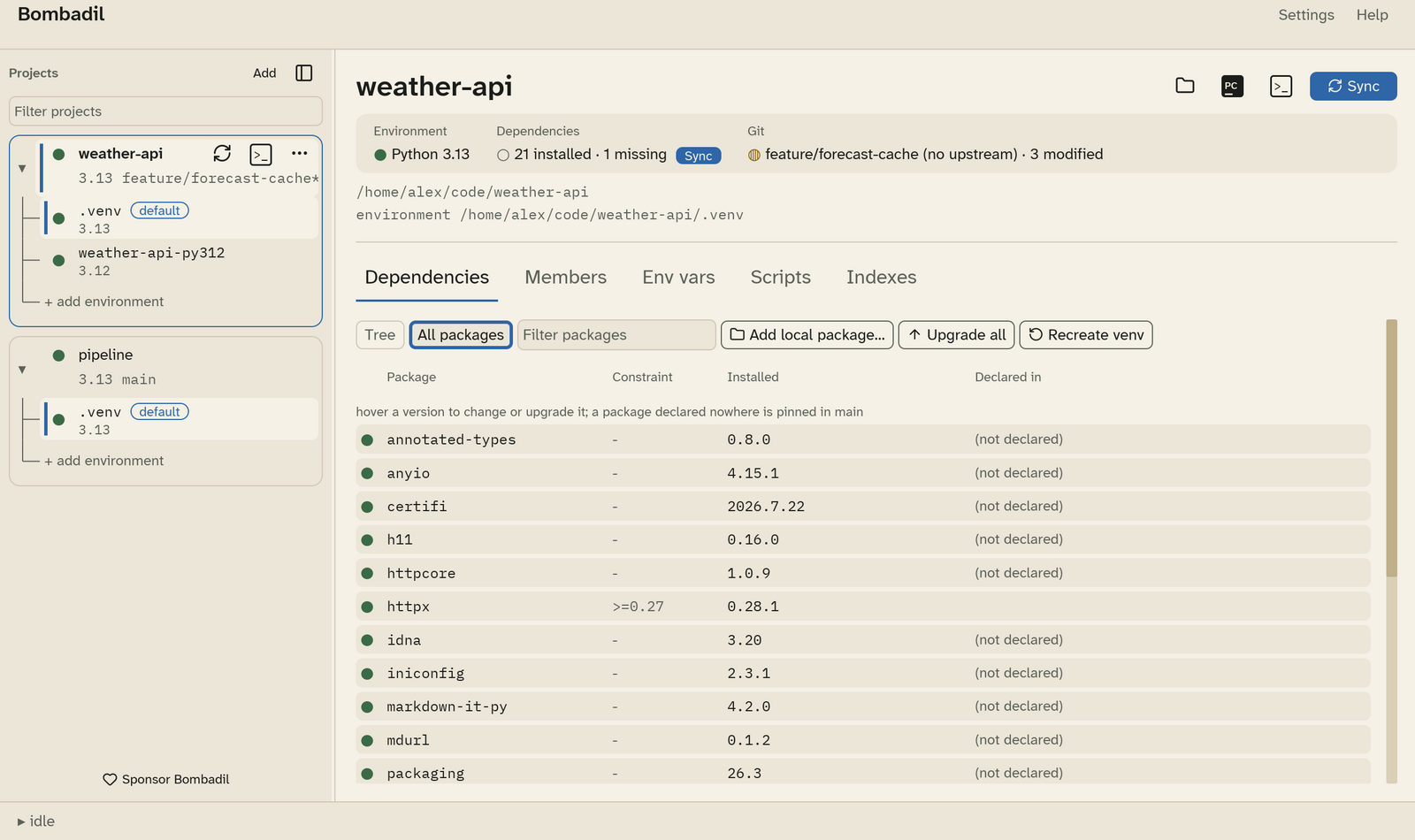
All packages lists every installed package once, alphabetically, including the transitive ones. Declared in shows which group declares it, or (not declared) for a package that is only there because something else needs it.
Filtering
Type in Filter packages to narrow either view. The shortcut is Ctrl+F.
Changing a version
Hover an installed version to show its actions:
- Change version: type a version, such as
2.31.0, and press Enter. You can also double-click the version. Bombadil runsuv add name==versionin the group that declares the package, then syncs. A package that no group declares is pinned inmain. - Upgrade within its constraint: locks the newest version the declared
constraint allows (
uv lock --upgrade-package), then syncs.
Upgrade all upgrades every package to the newest versions their
constraints allow. It asks first, because it rewrites much of uv.lock.
Adding a local package
Add local package… asks for a folder that contains a pyproject.toml or
setup.py. Then you choose:
- Which group gets the package:
main, a dependency group, or an extra. - Editable: if checked, changes in the folder apply without reinstalling.
Bombadil runs uv add with a path relative to the project, so the
pyproject.toml stays valid for your teammates.
Recreate venv
Recreate venv deletes the default environment and builds it again with
uv sync. Use it when an environment is broken beyond what a sync can fix.
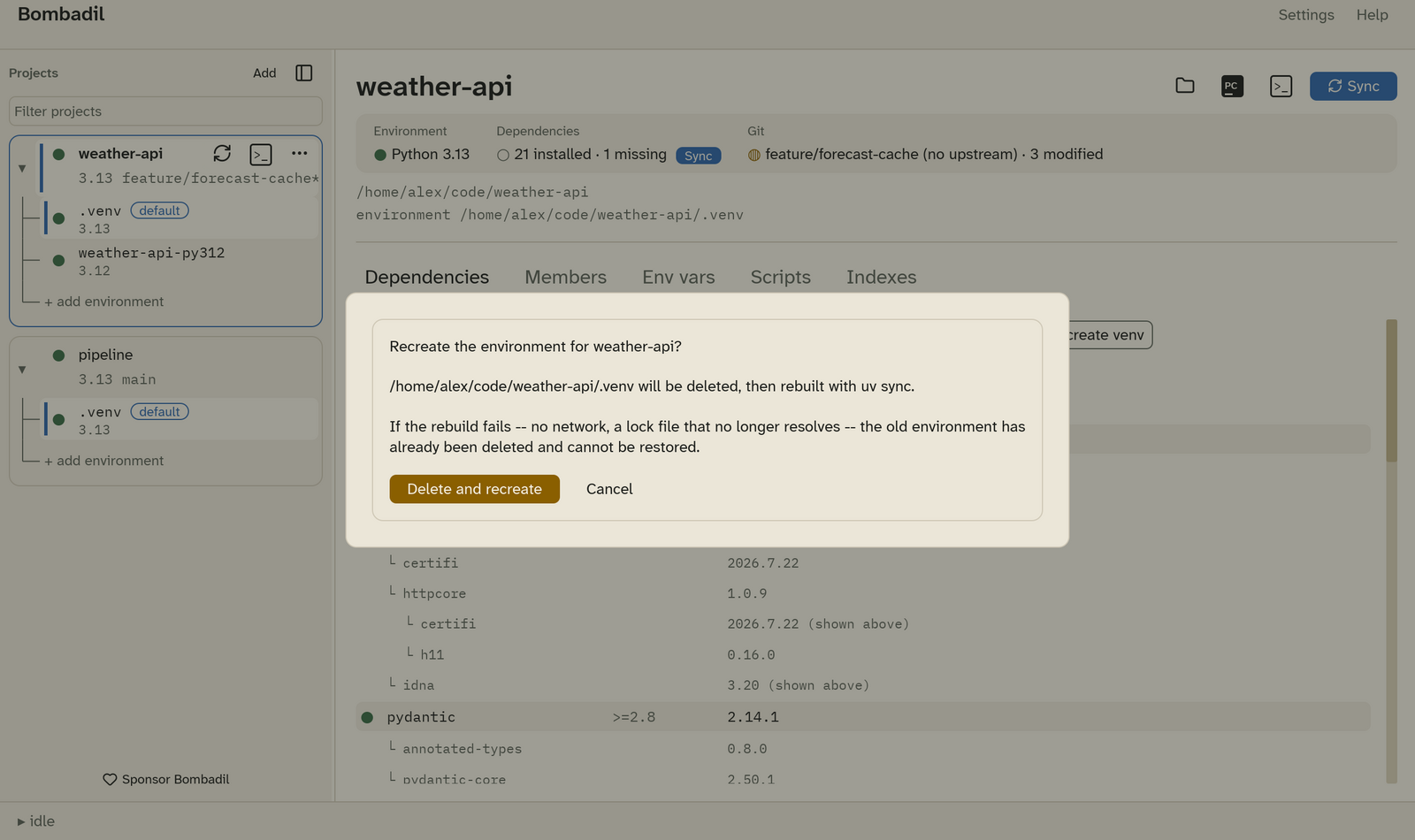
Warning
The old environment is deleted before the rebuild starts. If the rebuild fails, for example because there is no network or the lock file no longer resolves, the old environment can't be restored.
When a sync changes the Python version
If an environment's Python pin no longer matches the Python it was built
with, uv sync has to delete the environment and build it again. Bombadil
compares versions segment by segment, so 3.12 matches 3.12.13. It only
asks for confirmation when the change really would rebuild. See
Gotchas.