Environment variables and secrets
Bombadil composes an environment for everything it launches: uv commands, terminals, PyCharm and pre-activate scripts. You can add your own variables to it.
Global and project variables
- Global variables apply to every project. Set them in Settings › Env vars with the Global scope.
- Project variables apply to one project. Set them in the project's Env vars tab, or in Settings with that project's scope.
When both set the same key, the project's value wins. The project tab lists the global variables under Inherited from global, and marks the ones the project overrides.
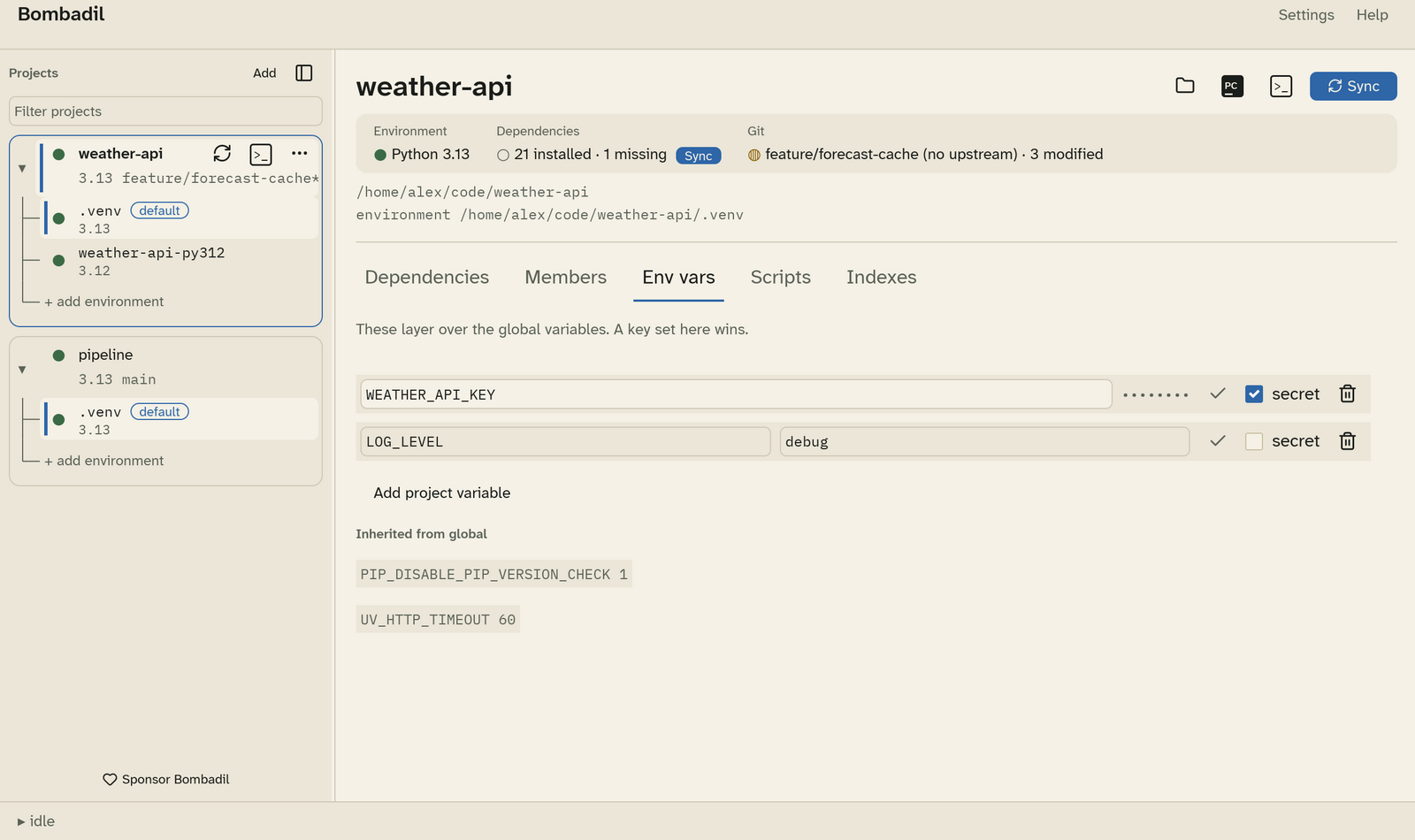
To add a variable, click Add project variable (or Add global variable). Type the key and value, then press Enter or click ✓ to save it. If you leave the tab with values not saved yet, Bombadil tells you how many are pending.
Secrets
Tick secret to keep a value in your operating system's keychain instead of the config file:
- macOS: Keychain
- Windows: Credential Manager
- Linux: the Secret Service (GNOME Keyring, KWallet, …)
A secret's value is never written to config.toml, never shown again after
you save it, and redacted as *** in any error output. To change a secret,
type a new value and save it.
Note
On Linux, secrets need a running Secret Service. See Gotchas.
What a launched process sees
The layers below are applied in order, and each one overrides the ones before it:
- The environment Bombadil itself was started with.
- Global variables.
- Project variables.
- Secrets.
- Package index settings (
UV_INDEX,UV_DEFAULT_INDEXand credentials). - Pre-activate scripts.
- Activation:
VIRTUAL_ENV,UV_PROJECT_ENVIRONMENT, and the environment'sbin(orScriptson Windows) at the front ofPATH.
Activation always comes last, so a script can't point uv at one environment while your shell uses another.